iOS / iPHONE COMPATIBILITY
HappyMod for iPhone — Does It Work on iOS?
No HappyMod app exists for iPhone or iPad, and none has ever been released. HappyMod distributes Android application packages — APK files — and iOS cannot open, read, or run that file format at all. This is a permanent architectural mismatch between two operating systems, not a temporary gap waiting to close.

Key Facts
iOS app
Does not exist, has never existed
File format HappyMod uses
APK (Android Package)
File format iOS requires
IPA (iOS App Store Package) — a different, incompatible format
Jailbreak fix available?
No — jailbreak does not add APK-execution capability (see below)
Genuine iOS-adjacent option
None confirmed — see “Is There Any Real Way” below
Why Doesn’t HappyMod Work on iPhone?
HappyMod packages every app and mod it distributes as an APK — Android Package, the file format Android’s operating system reads to install software. iOS uses an entirely different format, the IPA — iOS App Store Package — built around Apple’s own code-signing system, which cryptographically verifies every app before the operating system will run it. An APK file placed on an iPhone is inert data: iOS has no component that parses that format, checks its structure, or hands it to an installer, because the installer iOS ships with only recognizes IPA packages signed through Apple’s system.
This is not a missing feature HappyMod could add with an update. Building an iOS version would mean rewriting every distributed app and mod from Android’s runtime environment into iOS’s, submitting each one through Apple’s code-signing and review process — the same process HappyMod’s entire model of unreviewed, community-modified redistribution conflicts with on Android’s own app store. The mismatch is structural on both sides: the file format and the distribution model.
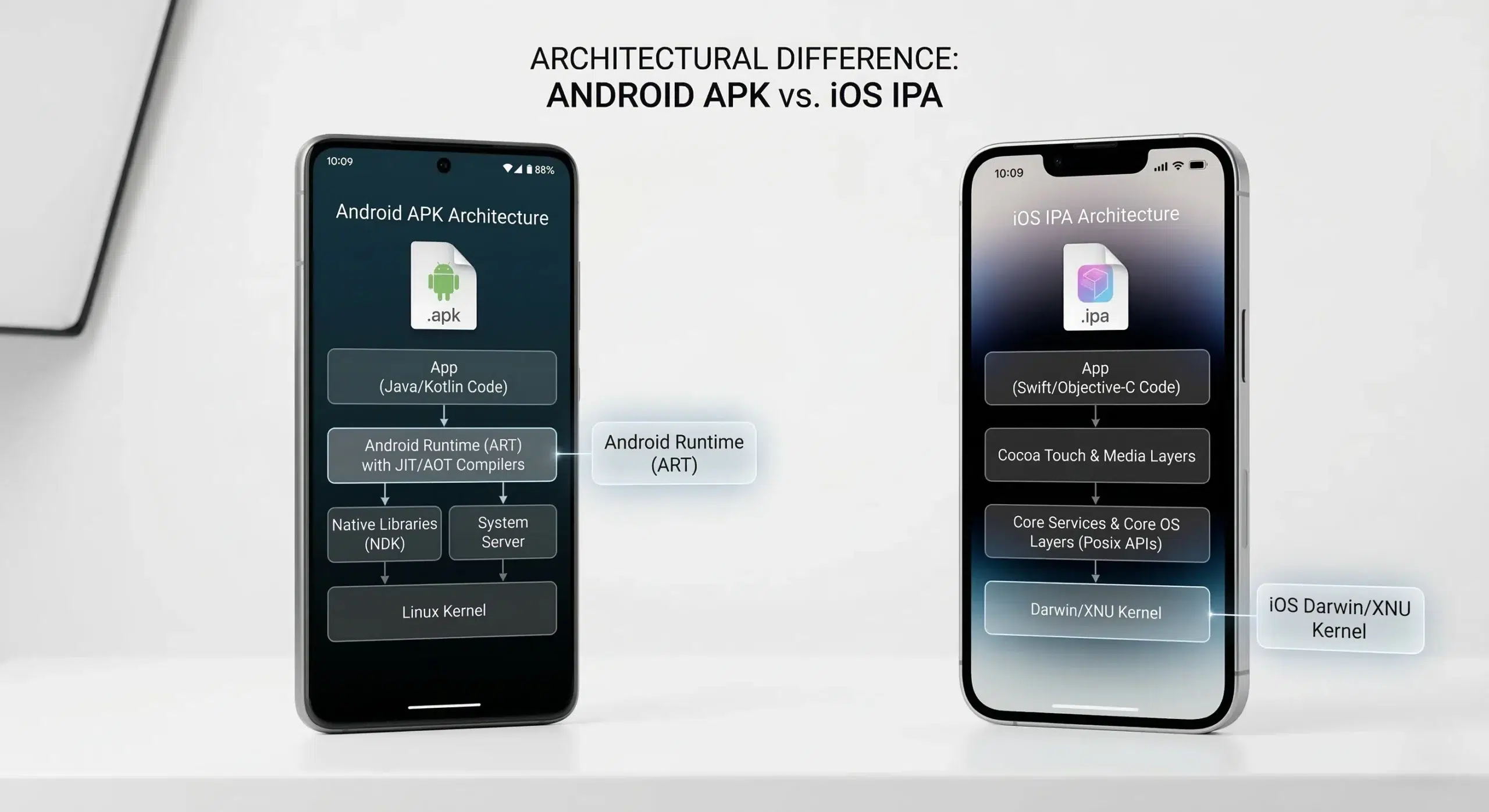
APK — Android Package
The file format HappyMod distributes. Android’s operating system reads it to install software.
IPA — iOS App Store Package
Apple code-signed, cryptographically verified — and incompatible with Android APK files.
Does Jailbreaking Fix This?
Jailbreaking removes iOS’s code-signing enforcement and grants root-level access to the device’s filesystem. It does not solve the APK problem, because it doesn’t add an Android Runtime — the software layer that actually interprets Android’s bytecode and APK structure. A jailbroken iPhone can run unsigned iOS-native code that it previously blocked; it still has no mechanism to interpret an Android package, jailbroken or not.
Jailbreaking itself is also far more limited right now than sites advertising “HappyMod iOS jailbreak” tools imply. As things currently stand, public jailbreak tools stop at iOS 17.0 — iOS 17.0.1 and later, iOS 18, and iOS 26 currently have no public jailbreak available. The tools that do work (palera1n, checkra1n, unc0ver) rely on the checkm8 hardware exploit, which only functions on older Apple silicon — chips from the A5 through the A11 generation. Most iPhones sold in the last two to three years use newer chips those tools cannot reach at all. A page advertising a jailbreak “for HappyMod” tied to a current iOS version number is, at minimum, describing a capability that doesn’t match the current jailbreak landscape — and even on a device where jailbreak is genuinely possible, it still would not make an APK file executable.
What About the Sites That Say It Works on iOS?
Several sites claim HappyMod already works on iPhone, sometimes framed as a recent update, sometimes paired with a device-compatibility list running from older iPhones through the newest models and even unrelated hardware like the Apple Vision Pro. None of these claims is backed by a real, checkable release — no version number tied to an actual changelog, no update history, no App Store listing, because none can exist given the format mismatch explained above.
A specific pattern shows up repeatedly across these claims: stating no jailbreak is required in one section while promoting jailbreak tools tied to specific iOS version numbers elsewhere on the same page — a direct internal contradiction. Some sites instead recommend routing through third-party iOS app-signing services to install HappyMod outside the App Store. Whether HappyMod is actually distributed through any such service is unconfirmed.
The underlying incentive is straightforward. “Does HappyMod work on iPhone” is a high-frustration search — the reader wants the answer to be yes — and a page claiming yes captures that traffic regardless of whether the claim holds up. The honest answer captures less traffic and is the accurate one.
Is There Any Real Way to Use HappyMod-Style Mods on iPhone?
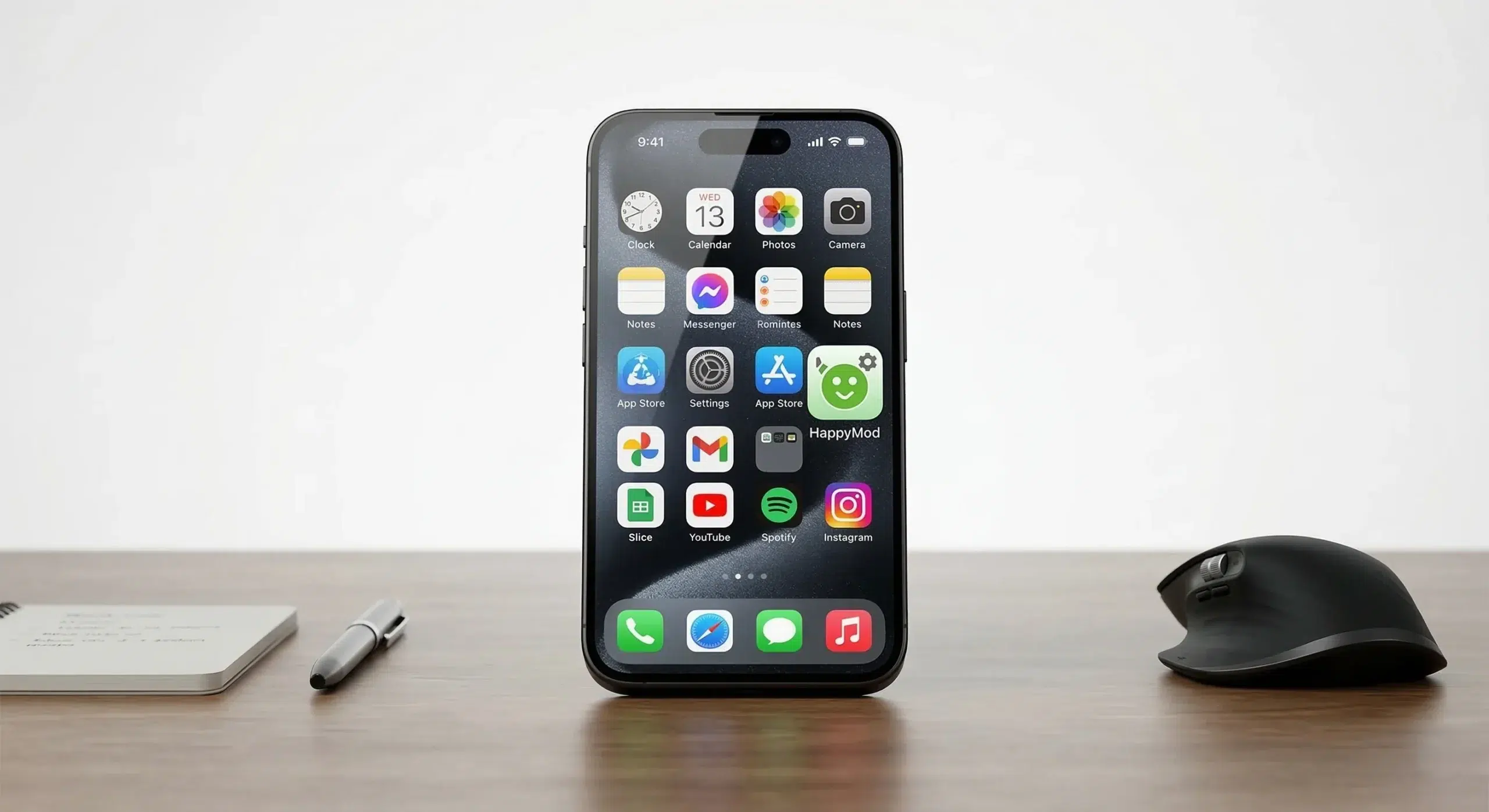
No confirmed, genuine workaround exists specifically for running HappyMod itself on an iPhone or iPad. The blocking factor is the operating system’s file format and execution model, not any individual device’s hardware — so a device-by-device compatibility list means nothing here; the same architectural block applies identically across every iPhone and iPad model.
The one genuinely working path
The one genuinely working path to the HappyMod catalog from an iOS device isn’t an iOS installation at all: running HappyMod through an Android emulator on a separate Windows or Mac computer, which creates a full Android environment the APK can actually install into. That method runs on a desktop, not on the iPhone or iPad itself — the HappyMod install guide covers every install path, including the desktop-emulator route.
Quick Answers
Does HappyMod have an iOS or iPhone version?
No. HappyMod distributes Android APK files, and no version of the platform has ever been packaged for iOS’s IPA format or released through any channel for iPhone or iPad.
Do the iOS jailbreak tools advertised for HappyMod actually work?
Current jailbreak tools are real but limited — public jailbreaks currently reach only iOS 17.0 and earlier, on older Apple chip generations (A5 through A11). Even on a device where jailbreak is genuinely possible, it removes code-signing enforcement, not the absence of an Android Runtime, so it does not make an APK file installable.
Will HappyMod ever release an iOS version?
The barrier is the file format and code-signing model, not a business decision that could change with an update. Nothing currently indicates that barrier is closing, and a page promising an upcoming iOS release without a checkable source behind that promise isn’t describing a real, planned launch.
Where to Go Next
The reason no iOS version exists is architectural, not a gap in coverage. For the current Android version, file details, and step-by-step install instructions, see the Download & Version guide. For the HappyMod app overview and safety breakdown, see the hub page.