
VERSION ARCHIVE & ROLLBACK
HappyMod Old Versions — Download & History
Dated build history, how to install an older HappyMod build without breaking your current install, and the rollback procedure when a new version causes a problem.

Key Facts
Why older builds
Confirmed bug, mod compatibility, or older Android range
Rollback
Uninstall current, then install old version
Downgrade over newer
Blocked by Android — clean uninstall required
Data on downgrade
Local app data cleared; server-side catalog restores on reinstall
Older HappyMod builds exist for three specific situations: a bug confirmed in the current release, a modded game or app that only works with an earlier HappyMod build, or a device on an older Android range where the current build’s catalog loads more slowly. The current version is listed on the HappyMod install guide.
Why Would You Need an Older Version of HappyMod?
Three distinct situations send readers looking for an older build, and each points to a different fix.
A confirmed bug in the current release.
When a specific version introduces a crash, a broken download queue, or a catalog-loading failure, reverting to the last known-working build resolves it faster than waiting for a patch.
A target app or game requiring an older HappyMod build.
A subset of modded game files are packaged against a specific HappyMod catalog version and behave inconsistently — or fail to load at all — on a build released after that mod was uploaded.
A device on an older Android range.
Android 5.0 through 7.1 sees slower catalog loading on the current release. An older, lighter build performs more predictably on that hardware.
Anyone unsure which of the three applies should start with the FAQ below before choosing a specific archived build.
HappyMod Version History and Changelog
See the Android installation walkthrough for the current version and the full install steps.
v3.3.3
Release date 2026-05-11
Download APK
v3.3.1
Release date 2026-04-20
Download APK
v3.2.6
Release date 2025-12-15
Download APK
v3.2.5
Release date 2025-10-13
Download APK
v3.2.3
Release date 2025-08-28
Download APK
v3.2.1
Release date 2025-07-28
Download APK
Builds older than v3.2.1 are built for long-outdated Android versions and aren’t recommended as install targets.
Very old builds: versions from the 3.0.x and 2.9.x series — 3.0.7, 3.0.7a, 3.0.6, 3.0.6a, 3.0.5, 3.0.1, 3.0.1b, 3.0.1a, 3.0.0, 3.0.0b, 2.9.7, 2.9.6, 2.9.5b, 2.9.4b — predate the Android 8.0+ range the installation guide covers and aren’t recommended as install targets.
How to Install an Older Version of HappyMod Without Breaking Your Current Install
Android’s package manager blocks installing an older version over a newer one — the install fails with an “App Not Installed” error, because Android treats a downgrade as a potential security risk by default. Installing an archived build cleanly requires removing the current install first.
Note anything worth keeping.
Uninstalling clears the app’s local data — see the data-loss section below before proceeding if that matters.
Uninstall the current HappyMod app
completely, the same way as any other Android app (long-press the icon, or Settings > Apps > HappyMod > Uninstall).
Download the target archived version’s APK
from the version listed in the table above.
Enable installation from unknown sources
for the browser or file manager doing the install — the installation guide’s manufacturer-specific paths apply the same way here.
Install the downloaded file
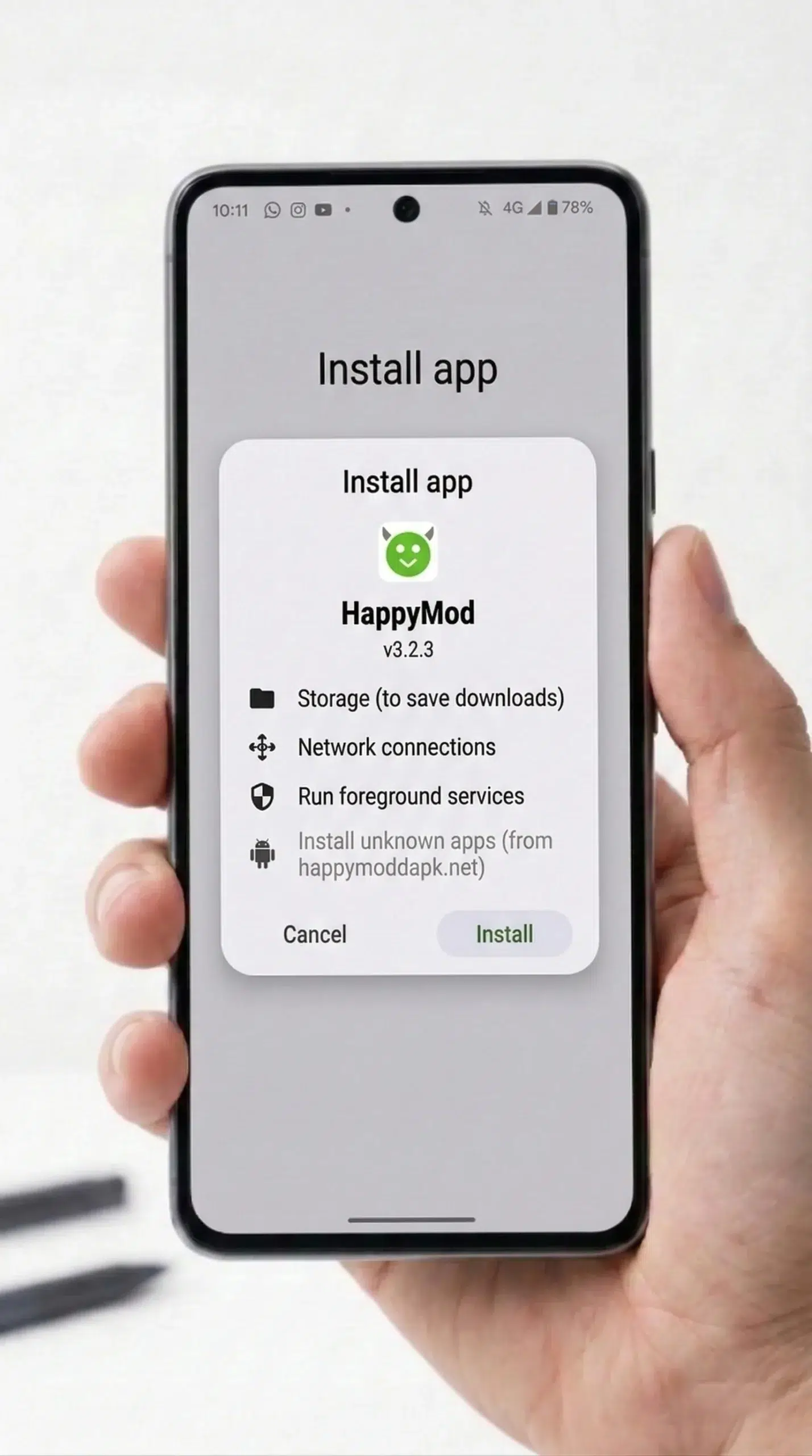
and grant the same Storage and Install Packages permissions the current build requests.
Confirm the version string
in Settings matches the build intended — installing the wrong archived file and needing to redo the sequence is the most common mistake at this step.
Does Downgrading HappyMod Delete Your Saved Mods or Progress?
Uninstalling HappyMod removes its local data — cached catalog listings, download history inside the app, and any in-app preferences — the same way uninstalling any Android app clears its local storage. This is expected behavior, not a bug specific to downgrading, and it’s recoverable: the mod catalog itself is server-side, so reinstalling (at any version) restores browsing access to the same catalog.
What doesn’t carry over
What doesn’t carry over automatically is the app’s own local record of what was previously downloaded through it; games and apps already installed on the device from a prior HappyMod download stay installed independently, since they’re separate APKs the device already has, not something HappyMod continues to manage after installation.
Are Older HappyMod Versions Still Safe to Use?
An older build runs the same core install mechanism as the current release and functions identically for browsing and installing from the catalog, but it does not include any security or bug fix shipped in a version released after it. For verifying a specific downloaded APK file’s integrity — checking its SHA256 hash and cross-referencing it against a scan result — see the APK verification guide. For the complete platform-level safety breakdown (permissions, account risk, catalog risk), see the safety guide.
How Do You Roll Back If a New Version Breaks Something?
This is the same core uninstall-then-install sequence above, but framed for the situation where the current build was working and a recent update broke it — the priority is speed, not archive browsing.
Identify the last version that worked,
if known — otherwise, the most recently dated build one row above the current release in the table above is the reasonable first attempt.
Uninstall the current, broken install
immediately rather than attempting an in-place repair — Android’s downgrade block makes an in-place fix impossible regardless.
Install the identified prior version
using the steps above.
Turn off automatic updates inside the app,
if that setting is present, to avoid the same version reinstalling itself before the underlying bug is confirmed fixed.
Check back at the installation guide
periodically rather than reinstalling the current release blind — it tracks the best-supported current version and flags where download sites disagree.
Frequently Asked Questions
Can two versions of HappyMod be installed on the same device at once?
No. Android identifies apps by package name, and every HappyMod build shares the same one, so installing a second version replaces the first rather than running alongside it.
Does an older HappyMod version still connect to the current mod catalog?
Yes, for browsing — the catalog itself is server-side and version-independent for search and listing. Individual mod files uploaded after an older build’s release may require the newer app to install correctly, which is the compatibility limit named in the “why an older version” section above, not a catalog-access limit.
Why does an older version keep prompting to update?
The app checks for a newer release on its own schedule regardless of which version is installed; this is standard in-app update-check behavior, not specific to any one archived build.
Is there a way to permanently block the update prompt?
No verified method for this exists yet — a mechanism isn’t documented here because none has been confirmed, not because one doesn’t exist.
Where to Go Next
For the current version and the full walkthrough, see how to install HappyMod. For checking a downloaded APK file’s SHA256 hash, see how to verify an APK is safe. If a recent update caused the problem prompting a rollback, see the update errors guide. For the HappyMod overview and safety breakdown, see the hub page.