
HappyMod Old Versions – Changelog and Rollback Guide (2026)
Many users search for “HappyMod old version” when a new update causes compatibility issues or when they need a build that works on older Android devices. This guide explains HappyMod’s version history and shows how to safely roll back to a previous release if the latest version does not work on your device.
The latest verified release – HappyMod v3.2.6 – with SHA256 hash and VirusTotal scan results is published on the HappyMod page. If you are here for the current version, start there. If you need an older build or are troubleshooting a rollback, continue below.
Reviewed by: Muhammad Sheraz | APK Reviewer, HappyModdAPK.net
Last reviewed: March 2026 | Verified builds on this page: v3.2.1 through v3.2.6. Android 5-7 device recommendations are noted in the version table below, but verified downloads for older builds are not currently available on this site
Jump to your situation:
Looking for a specific version? -> Version table (Section 2)
New version causing problems? -> Rollback procedure (Section 3)
Getting “App Not Installed” on rollback? -> Section 3, Signature Note
Not sure if you need old HappyMod or an old mod for a game? -> Section 1
Why Most Users Should Stay on v3.2.6
HappyMod v3.2.6 is the current stable release. It is fully tested on Android 8.0 through Android 14, with Android 5.0 through 7.1 installable but not guaranteed for catalog performance, maintains active server compatibility with AIO TEAM’s catalog endpoints, and is the only build with a current SHA256 verification and VirusTotal scan result on the HappyMod APK main page. If you updated to v3.2.6 and it runs correctly on your device, you do not need this page.
This page serves three specific situations: your device is incompatible with v3.2.6 and needs an older build, a recent update introduced a problem you need to roll back from, or you want version history and changelog documentation. If none of those apply, return to the HappyMod APK main page.
Section 1 – Two Different Problems, One Search Query
Users searching ‘HappyMod old version’ typically have one of two completely different problems. They look identical in a search bar but require different fixes. Identifying which one applies to you before downloading anything saves time.
Problem A – HappyMod itself stopped working after an update
The app crashes on launch, the catalog stops loading, or a feature that worked previously stopped working after you updated HappyMod. The HappyMod installer – the app itself – is the source of the problem. Rolling back to a previous version of HappyMod is the correct path. Sections 2 and 3 cover this.
Problem B – A specific mod stopped working after a game update
A game you use through HappyMod received an update. The mod you were using for that game broke because the mod was built against the previous version of the game. HappyMod’s own version number has no relationship to which mod versions are available for any specific game. The HappyMod installer is not the problem.
The fix for Problem B: open HappyMod, search for the game, tap the version history or changelog tab on the mod listing page, and select an older mod version from there. This is an entirely separate system from HappyMod’s own update history.
If HappyMod itself is not opening or crashes immediately on launch, work through the installation checklist in Section 5 of the Installation Guide
Section 2 – Version History and Changelog (v3.2.1 through v3.2.6)
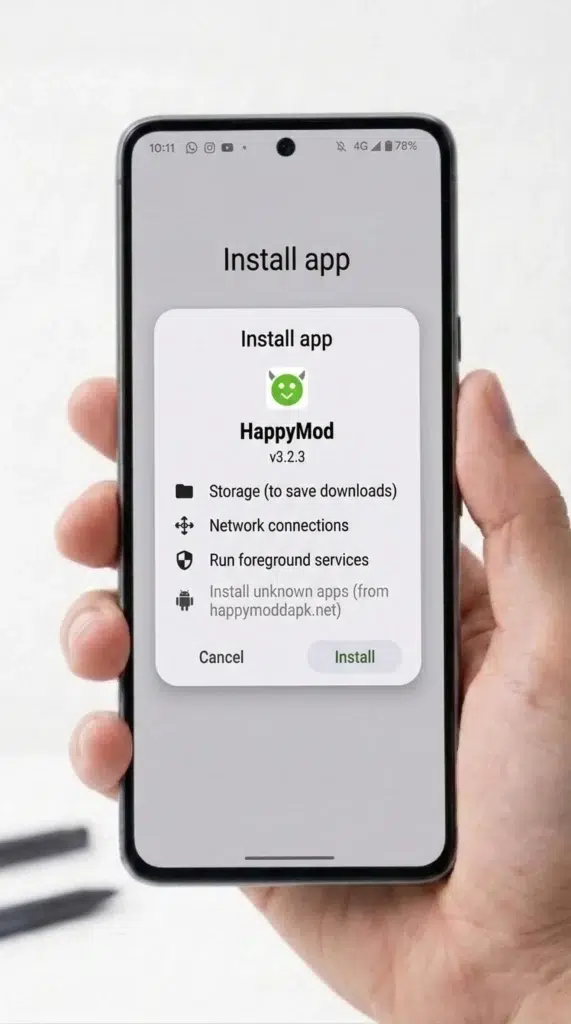
The table below documents HappyMod versions from v3.2.1 through the current v3.2.6. Each entry includes the Android version range the build supports, key changes, and server support status as of January 2026. Entries verified by Muhammad Sheraz through physical device testing are noted.
All other entries use AIO TEAM release notes as the source. Older versions are useful when a new update causes crashes, compatibility issues, or device performance problems.
Many websites host archived APK files, but older builds are often re-signed or modified. Installing a modified APK can trigger Android signature conflicts or security warnings.
All versions listed on this page are verified by Muhammad Sheraz before publication. Each build is scanned with VirusTotal and matched against its SHA256 hash before the download link is published.
Version gaps in this archive (v3.2.0, v3.2.2, v3.2.4) are builds that failed one or more verification checks at publication or were superseded before completing the review process. No verified download is available for those version numbers on this site.
| Version | Verified Download |
|---|---|
| v3.2.6 (current) | Download from HappyMod main page. Current stable. Verified by Muhammad Sheraz. |
| v3.2.5 | Download v3.2.5 – Clean scan – 0/65+ VirusTotal engines |
| v3.2.3 | Download v3.2.3 – Stable at the time of scan |
| v3.2.1 | Download v3.2.1 – Clean file during verification |
Section 3 – How to Install an Older Version of HappyMod (Rollback Procedure)
Read Before Starting: Android blocks installation of an older APK if a newer version is already installed. This is standard Android security behavior – not a HappyMod restriction. The block produces an ‘App Not Installed’ error. Uninstalling the current version first resolves this.
However – the step most guides omit: you must download the older version from the same source as your current install. Android verifies the APK signing certificate, not just the version number. An older HappyMod APK downloaded from a different site carries a different certificate even if the version number matches. This produces the same ‘App Not Installed’ error, and uninstalling first does not resolve it.
Download all HappyMod versions from this site only to maintain a consistent APK signature chain across installs. For the full ‘App Not Installed’ diagnosis, see the HappyMod Installation errors page.
The four steps below cover the complete rollback sequence. Complete them in order.
Section 4 – Which Version Is Right for Your Device
The table below maps the Android version to the recommended HappyMod build. Version recommendations are based on AIO TEAM changelog data and community-reported stability. Personal device testing by Muhammad Sheraz confirmed v3.2.6 on Android 8.0 (Redmi Note 12 running MIUI 14), Android 13 (Galaxy A54 running One UI 5.1), and Android 14 on two devices: the Realme 11 Pro (Realme UI 4) and the OnePlus 12 (OxygenOS 14).
Android 6 and 7 recommendations are sourced from AIO TEAM release notes and have not been independently tested by Muhammad Sheraz.
| Android Version | Recommended Build | Notes |
|---|---|---|
| Android 14 | v3.2.6 | Current stable. Confirmed working by Muhammad Sheraz on Realme 11 Pro (Realme UI 4) and OnePlus 12 (OxygenOS 14). |
| Android 12-13 | v3.2.6 | Current stable. Confirmed working by Muhammad Sheraz on Galaxy A54 (One UI 5.1, Android 13) and Redmi Note 12 (MIUI 14, Android 13). |
| Android 10-11 | v3.2.6 or v3.2.1 | No independent device test on Android 10 or native Android 11 hardware by Muhammad Sheraz. v3.2.6 is recommended based on AIO TEAM changelog data and community stability reports for this Android range. If issues occur, try v3.2.1. |
| Android 8-9 | v3.2.1 minimum | Older builds are stable but lack Android 12+ Privacy menu path fixes. v3.2.6 confirmed working on Redmi (Android 8.0) by Muhammad Sheraz. |
| Android 6-7 | v3.1.x series | v3.1.x recommended — No verified download for v3.1.x is available on this site. v3.2.6 may show catalog loading issues on Android 6/7 hardware. If you are on Android 6 or 7, download v3.2.6 and test — if the catalog fails to load, your options are limited to unverified sources which carry additional risk. |
| Android 5.0-5.1 | v3.0.x | v3.0.x recommended — No verified download for v3.0.x is available on this site. Android 5.0-5.1 is below the fully tested range. Server support for builds that run on this Android version is uncertain. HappyMod on Android 5 is not a supported use case on this site. |
Section 5 – When Old Versions Stop Working – Server Support Explained
HappyMod versions below a certain threshold stop loading catalog content – not because the APK file is damaged, but because AIO TEAM stops supporting the server connections that older builds use to load content. This is a deliberate deprecation of old API versions, not a crash or compatibility failure.
When this happens, the app installs correctly, opens normally, and the UI renders as expected. The catalog sections stay empty or display a loading spinner that never resolves. This symptom is identical to a standard network error, which causes most users to blame their connection and miss the real cause.
The distinguishing test: if HappyMod opens and navigates normally but every catalog section stays empty after refreshing on both mobile data and Wi-Fi, server support for that version has ended. A network error typically affects one connection type and resolves after reconnecting. Persistent empty catalog across two network types points to a deprecated API endpoint, not a connection problem.
How to tell if your version lost server support:
Once a version’s API endpoint is deprecated, there is no workaround. Client-side fixes, VPNs, and cache clears do not restore access to a deprecated endpoint. The only resolution is to update to a currently supported version.